
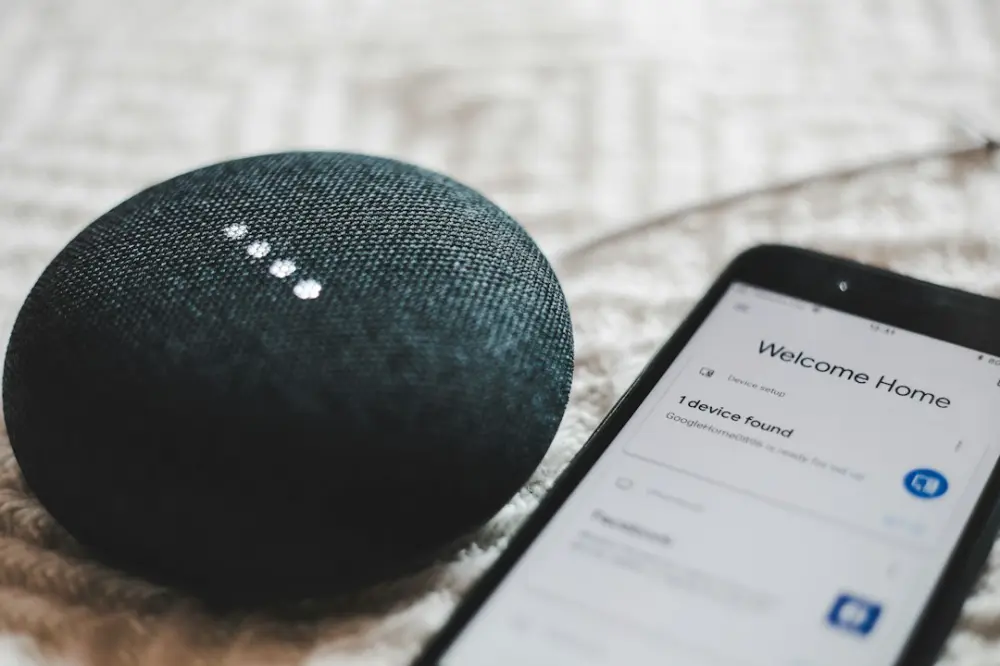
Voice assistants have transformed from novelties into household staples, yet the interaction model remains surprisingly narrow. We speak into the void, and a disembodied voice responds. While this hands-free convenience is the primary selling point, it often lacks the sensory confirmation we expect from physical tools. When you turn a physical dial or press a mechanical button, your body receives immediate, tactile confirmation. With a smart speaker, you are often left waiting for an auditory cue that may or may not come, depending on the noise floor of the room or the device's processing speed.
Expanding the user experience (UX) of voice assistants requires moving beyond the microphone and speaker. By integrating tactile sensations and depth-rich visuals, we can turn these assistants into proactive partners rather than passive listeners. This shift represents a move toward multi-modal interaction, where the device engages more than just our ears, grounding the digital assistant in the physical world.
The Role of Tactile Feedback in Voice Interaction
The primary challenge with voice-only UX is the lack of a private confirmation loop. If you ask a smart speaker to turn off the lights in a sleeping child's room, a loud verbal confirmation—"Okay, turning off the lights"—defeats the purpose of the quiet command. This is where haptic feedback finally makes your digital becomes essential. By decentralising the interface, tactile cues can provide discreet, silent confirmation of successful commands.
Silent Confirmation and Status Cues
Imagine a smart home ecosystem where your wearable device or a haptic-enabled remote provides a subtle pulse when the voice assistant registers your wake word. This immediate physical acknowledgement tells the user the device is listening without interrupting the flow of conversation or music. In a professional setting, a haptic tap on the wrist could signal that a voice-transcribed meeting note has been saved, allowing the user to remain focused on the discussion rather than glancing at a screen.
Spatial Awareness through Vibration
Haptics can also communicate directionality. If a smart assistant detects an issue—perhaps a leak in the basement or a person at the front door—a directional haptic pulse can guide the user’s attention toward the relevant area. This creates a more intuitive link between the digital assistant’s data and the user’s physical environment, making the "smart" home feel more interconnected and responsive.
Dimensional Displays: Beyond the Flat Screen
While some voice assistants now feature screens, these are typically traditional 2D tablets glued to a speaker base. These flat interfaces often feel like an afterthought, requiring the user to stand directly in front of them to parse information. Transitioning to multi-dimensional visuals boost user engagement changes how we consume the data our assistants provide. Instead of a flat list of ingredients for a recipe, a dimensional display can project a volumetric representation of the dish or a 3D map of the cooking process that is legible from multiple angles.
Reducing Cognitive Load with Depth
Human brains are wired to process information in three dimensions. When a voice assistant provides complex data—such as a 10-day weather forecast or a breakdown of home energy usage—flattening that data onto a 2D plane requires more mental effort to decode. A dimensional display can use depth to categorise information. For example, urgent notifications can appear in the foreground, while background tasks or long-term data sets recede into the distance. This spatial hierarchy allows users to scan and understand information at a glance, much like we do in the physical world.
Presence and Personification
One of the biggest hurdles for voice assistant adoption is the "uncanny valley" of personality. A voice without a form can feel eerie or impersonal. Dimensional displays allow for a more natural representation of an assistant’s "presence." This doesn't necessarily mean a realistic human avatar; even abstract 3D shapes that pulse, rotate, or change colour in three-dimensional space can convey emotion and intent more effectively than a flat LED ring. This visual depth gives the assistant a sense of volume and place within the room, making the interaction feel more like a conversation and less like a command-line prompt.
Practical Applications in the Smart Home
The synergy of touch and sight transforms specific use cases from frustrating to seamless. In the kitchen, where hands are often messy or occupied, a voice assistant with a dimensional display can project a 3D timer that is visible from across the room, while a haptic wearable alerts the user to the exact second the oven needs to be checked. This multi-sensory approach ensures that the user never misses a cue, regardless of the noise level or their line of sight.
Accessibility and Inclusive Design
For users with visual or auditory impairments, the standard voice assistant model is often exclusionary. A multi-modal approach solves this. A user who is hard of hearing can rely on dimensional visual cues and haptic pulses to understand when the assistant has triggered a smart home routine. Conversely, a user with visual impairments can use haptic textures on a controller to navigate menus that the assistant describes. By diversifying the ways a device communicates, we make smart technology accessible to a wider range of users.
Enhanced Control for Smart UX
The future of smart device UX lies in the "glanceable" and the "feelable." We are moving away from the era of staring at glowing rectangles. Voice assistants equipped with tactile and dimensional capabilities allow us to keep our heads up and our hands active. Whether it is a subtle vibration to confirm a secure door lock or a 3D hologram showing the path of a vacuum cleaner, these technologies ground the digital experience in reality.
As we continue to integrate these devices into the most private corners of our lives, the demand for more natural, less intrusive interaction will grow. The hardware must evolve to match the sophistication of the AI driving it. By prioritising haptic feedback and dimensional clarity, developers and designers can create a voice assistant experience that feels less like a gadget and more like an extension of our own senses.
General Information Disclaimer: The information provided in this article regarding smart home technology and device UX is for general informational purposes only and does not constitute professional engineering or technical advice. Always consult with a qualified professional before making significant changes to your home infrastructure or electrical systems.